Remote Install Help
Get Linger running cleanly on your own computer in about 30 to 45 minutes, guided live over a remote screenshare session. Remote guidance on your own machine — we guide, you click; this is not a managed or hosting service.
Availability: We accept only 1–2 slots per week to ensure dedicated preparation and direct attention. Sessions are scheduled individually by email.
What's Included in a Session
- Download & Verification: Download the correct installer for your OS from the official GitHub release and verify SHA256 checksums.
- Setup Wizard: Walk through directory creation, permission checks, and disk allocation (typically ~1.3 GB baseline disk space).
- Runtime Connection: Connect and authorize Claude Code, Codex, Pi, or custom BYOK API endpoints.
- Hardware & Model Matching: Diagnose "No local model fits this computer" messages, configure VRAM offloading parameters, or set up cloud GPU alternatives.
- First Successful Agent Run: Verify local services, test the chat interface, and confirm onboarding connectivity.
Pricing & Booking Terms
Pricing: $80–150 per session.
A straightforward Windows or macOS desktop setup is at the lower end ($80). Complex Linux driver troubleshooting (NVIDIA CUDA/glibc), custom BYOK proxy configurations, or Docker setups on Intel Macs are at the higher end ($150). No payment is taken on this site — submit the form below and we will reply by email with schedule options and confirmation.
Request a Booking
Fill out your system details below. Submitting launches a pre-filled email draft to our inbox. We will review your specs and reply within 24 hours.
Real Installation Proof
Our guidance is built on hands-on installation testing across actual desktop hardware and edge configurations.
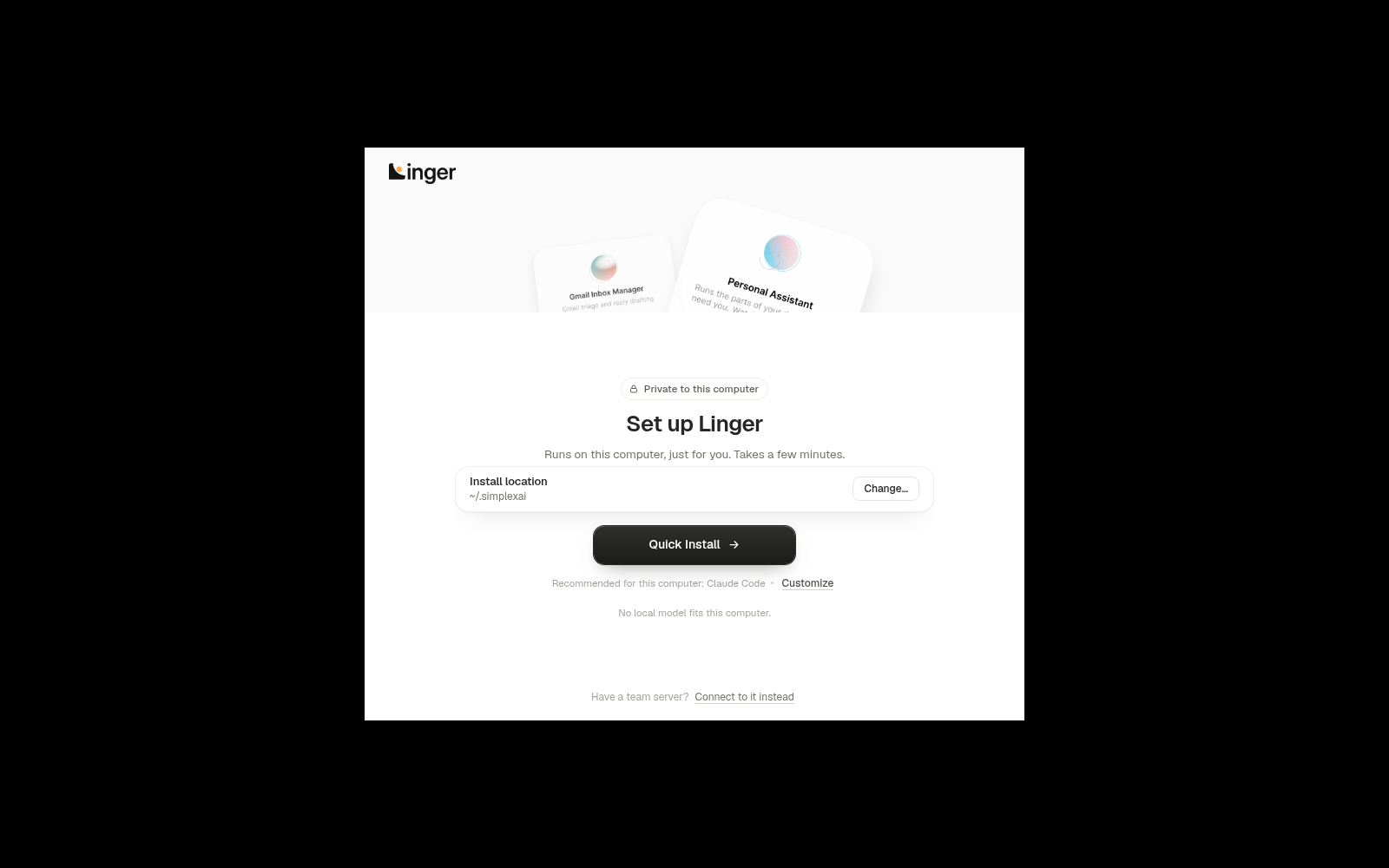
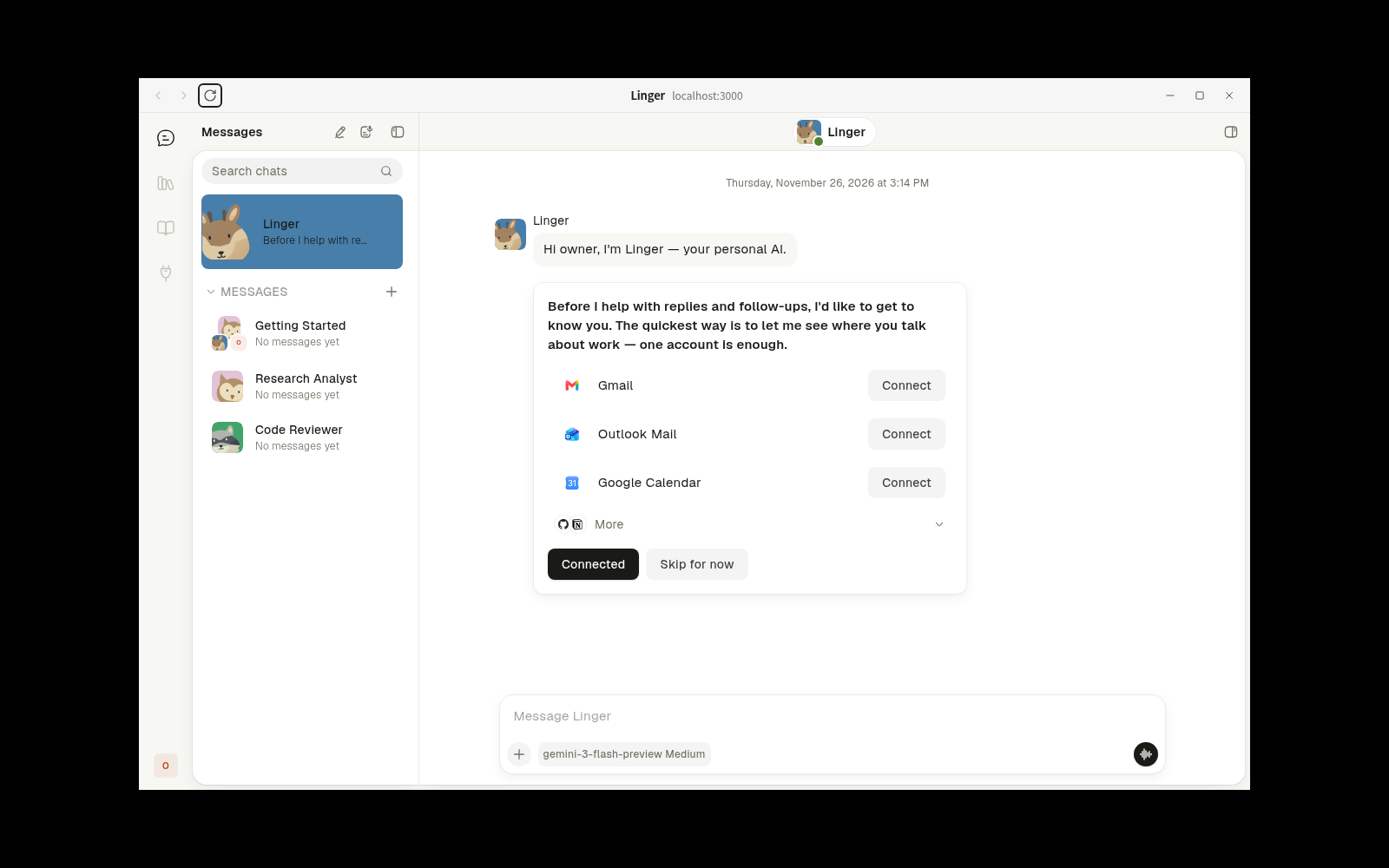
Want to try installing it yourself first? Read our full Hands-On Install Log for step-by-step terminal commands and verified screenshots.